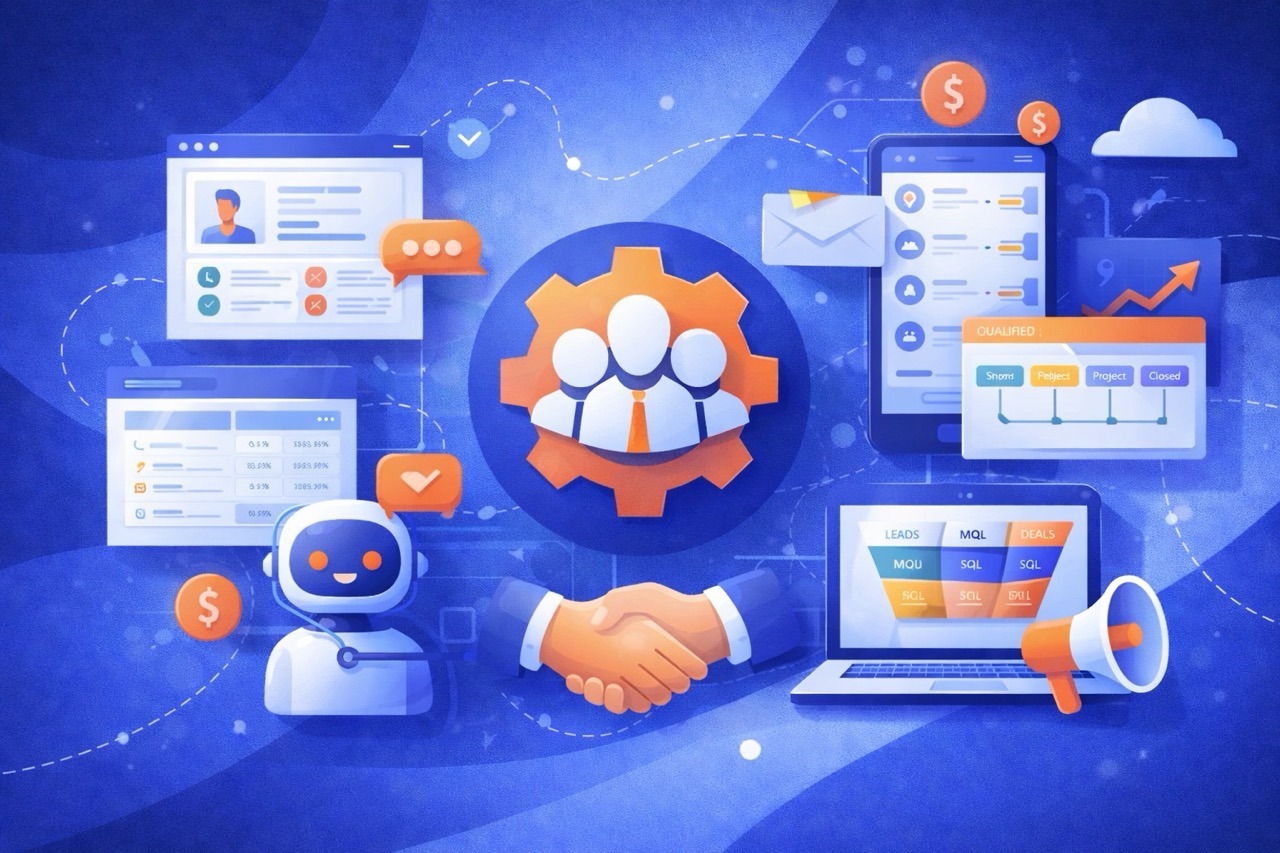
CRM and Sales Automation isn’t just about “lazy” robots sending generic emails. It’s the strategic engine that scales your sales team without scaling your headcount.
For SMBs, B2B agencies, and e-commerce brands, the promise is simple: reclaim 15-20 hours a week per rep, stop losing leads to the black hole of “I forgot to follow up,” and create a standardized sales process that predicts revenue, not chaos.
In this guide, you will learn exactly what to automate (routing, scoring, follow-ups), what to keep human (negotiations, closing), and how to build a tech stack that works for you, not against you.
What is CRM & Sales Automation?
CRM vs Sales Automation: what’s the difference?
Think of your sales infrastructure like a car.
- The CRM (Customer Relationship Management) is the Chassis and the Dashboard. It holds everything together. It stores data: names, emails, deal stages, and notes. Examples: HubSpot, Salesforce, Pipedrive. If you stop there, you have a very expensive address book.
- Sales Automation is the Engine. It takes that data and does something with it. It sends the email, assigns the task, moves the deal, and notifies the manager.
The shift: CRM is passive (you put data in). Automation is active (it pushes actions out).
What automation can (and can’t) do
Most implementation projects fail because of misaligned expectations. Let’s be brutally honest.
✅ What Automation CAN Do
- Eliminate Data Entry: Log calls, emails, and meetings automatically.
- Enforce Consistency: Ensure every lead gets exactly 5 follow-ups, spaced perfectly.
- Route Information: Move data from Form → CRM → Slack instantly.
- Filter Noise: Score leads so you only talk to the top 20%.
❌ What Automation CAN'T Do
- Fix a Bad Process: If your sales process sucks manually, automating it just helps you lose leads faster.
- Replace Empathy: It cannot negotiate price, understand tone, or build genuine rapport.
- Close Deals: Automation gets the meeting. You close the deal.
The real goal: fewer manual tasks, faster follow-up, cleaner pipeline
You heavily invest in ads ($$$), content (time), and tools. Yet, studies show that 71% of qualified leads are never followed up with. Automating sales isn’t about being lazy; it’s about plugging the leak in your revenue bucket.
The ultimate KPI of automation is “Revenue per Rep”. By removing the administrative burden (data entry, scheduling, reminders), you free up your expensive talent to do the one thing that actually generates money: talking to prospects.
Why automate sales? (Business outcomes)
Forget the buzzwords about “digital transformation”. The ROI of sales automation comes down to four tangible outcomes that directly impact your P&L.
Speed-to-lead and conversion impact
The math here is terrifying: 78% of customers buy from the company that responds first. If you wait 30 minutes to reply to a lead form, their interest has already cooled. If you wait 24 hours, they’ve already booked a demo with your competitor.
Automation ensures that the second a form is submitted:
- The lead is created in the CRM.
- A personalized “I’m on it” email is sent.
- A Slack notification pings your SDR. Result? Response time drops from hours to seconds.
Better consistency (no missed follow-ups)
Humans are terrible at monotonous tasks. We forget. We get busy. We “feel like” a lead isn’t interested because they didn’t reply to one email. Automation doesn’t have feelings. It executes the sequence: Day 1, Day 3, Day 7, Day 14. It guarantees that every single lead gets the same VIP treatment until they either buy or opt-out.
Forecast reliability (pipeline stages + rules)
When sales reps manually move deals, they rely on gut feeling. “I think he likes me, put it in ‘Closing’!” Automation introduces Stage Exit Criteria:
- Cannot move to “Proposal Sent” unless a PDF is attached.
- Cannot move to “Negotiation” unless Decision Maker is tagged.
This removes the fluff. Your forecast reflects reality, not optimism.
Sales + marketing alignment
The eternal war: Marketing says “We sent you leads!”, Sales says “They were trash!”. Automation bridges the gap with Feedback Loops:
- If Sales marks a lead as “Bad Fit” → CRM tells Google Ads “Stop optimizing for this profile”.
- If a lead clicks a pricing email → CRM alerts Sales “Hot prospect, call now”. Suddenly, both teams play for the same scoreboard.
What to automate first (Quick wins)
Don’t try to build a spaceship on Day 1. Start with high-impact, low-complexity automations that fix the most common “leaks” in your sales funnel.
Lead Capture → CRM (The No-Brainer)
Never manually copy-paste a lead from email to CRM again. Connect your Website Forms, Facebook Ads, and LinkedIn Lead Gen Direct directly to your pipeline.
- Trigger: Form Submission
- Action: Create Contact + Create Deal (Stage: “New Lead”)
Auto-Assign Leads (Routing)
Speed matters. If a lead sits in “Unassigned” for 4 hours, it’s dead.
- Round Robin: Distribute leads evenly (Rep A → Rep B → Rep C).
- Territory: “If Country = Germany, assign to Hans.”
- Source: “If Source = Referral, assign to Senior Rep.”
Tasks & Reminders
Your CRM should be your boss. Automation sets the cadence.
- New Lead created? → Create Task: “Call Lead (Day 1)”.
- Demo booked? → Create Task: “Research LinkedIn (15 min before)”.
- Contract sent? → Create Task: “Follow up on contract (Day 3)”.
Meeting Automation
“When are you free?” is the most expensive question in sales. Use tools like Calendly or HubSpot Meetings.
- Workflow: Lead books a slot → CRM updates Deal Stage to “Meeting Booked” → Sends confirmation email → Adds event to Rep’s Google Calendar.
Pipeline Stage Automation
Stop asking reps to drag-and-drop deals when the system knows what happened.
- Email replied? → Move to “Conversation Started”.
- Contract signed (DocuSign)? → Move to “Closed Won”.
- Invoice paid (Stripe)? → Notify Onboarding Team.
The Sales Automation Map (end-to-end workflow)
A healthy sales process is a relay race, not a solo marathon. The baton (legacy data) must move smoothly from one stage to the next without being dropped. Here is the blueprint of a perfect automated journey.
Stage 1: Lead ingestion
Your Commercial inbox is likely a mess of referrals, website forms, LinkedIn DMs, and cold outreach.
- The Problem: “I saw an email from a prospect last week, but I forgot to add them to Pipedrive.”
- The Automation: Centralized Listening. Whether a lead fills a Typeform, books a Calendly, or sends a message to your WhatsApp Business API, they are instantly created as a “Contact” in the CRM.
- Result: 100% of interest is captured. Zero leakage.
Stage 2: Qualification (enrichment + scoring)
Now you have 100 leads. 70 of them are students, competitors, or bots. You don’t have time to Google every single one.
- The Automation:
- Enrichment: The CRM sees “luca@tesla.com”. It pings Clearbit/Apollo and pulls: Job Title, Company Size, Revenue, Location.
- Scoring: It calculates a score. VP at Tesla? +50 points. Intern at Gmail? -10 points.
- Result: You wake up to a list sorted by “Likelihood to Buy”.
Stage 3: Nurture / follow-up
The lead is good, but they are “just looking”.
- The Problem: You follow up once, they ghost you, you give up.
- The Automation: The “Nudge” Sequence.
- Day 1: Value email (Case study).
- Day 3: “Did you see this?” (Soft bump).
- Day 7: Break-up email (“Assuming this isn’t a priority?”).
- Status Change: If they click/reply → Alert Rep. If they don’t → Move to “Long-term Nurture”.
Stage 4: Deal management & next steps
The lead is talking to you. Now it’s a “Deal”.
- The Automation:
- Stagnation Alerts: “This deal has been in ‘Negotiation’ for 14 days. Is it dead?”
- Document Tracking: You send a PandaDoc proposal. They open it 5 times. You get a text message: “They are reading it now. Call them.”
- Result: You treat deals based on their behavior, not just their words.
Stage 5: Handover + retention (post-sale automation)
The dangerous “Fumble Zone”. Sales marks “Won”, but Onboarding doesn’t know.
- The Automation: When Stage = “Closed Won”:
- Send “Welcome” email from the CEO.
- Create a “Setup Project” in Asana/ClickUp for the operations team.
- Sync customer data to your billing tool (QuickBooks/Stripe).
- Result: Sales gets their commission, and the client gets a world-class Day 1 experience.
Core CRM workflows (templates ready)
Here are the 6 essential workflows every CRM needs. You can implement these in HubSpot, Salesforce, or via Zapier/Make.
Lead routing workflow
Goal: Assign the right lead to the right rep instantly.
graph LR
    A[New Lead] --> B{Lead Source?}
    B -->|Inbound| C[Round Robin Assignment]
    B -->|Referral| D[Assign to Senior Rep]
    B -->|Enterprise| E[Assign to VP Sales]
    C --> F[Create Task: Call in 5min]
    D --> F
    E --> G[Slack Alert: VIP Lead]
Lead scoring workflow
Goal: Separate the signal from the noise.
- Demographic Score (Who they are):
- CEO/Founder:
+20 points - Student/Intern:
-50 points - Target Industry (e.g., Tech):
+15 points
- CEO/Founder:
- Behavioral Score (What they do):
- Visited Pricing Page:
+10 points - Opened 3+ Emails:
+5 points - Ghosted for 14 days:
-20 points
- Visited Pricing Page:
- Threshold: If Score > 50 → Mark as MQL (Marketing Qualified Lead).
Follow-up workflow (no reply)
Goal: Automate the “chase” without being annoying.
- Trigger: Lead Status = “New” AND No Activity for 2 days.
- Action 1: Send Email 1 (“Just bumping this to the top of your inbox”).
- Wait: 3 days.
- Action 2: Send Email 2 (“Is this project still a priority?”).
- Condition: If Reply → Stop Sequence. If No Reply → Close Lead as “Unqualified”.
Quote / proposal workflow
Goal: Stop “proposal paralysis”.
- Trigger: Deal Stage moves to “Proposal Sent”.
- Action: Create Task “Follow up on Proposal” (Due: 3 days).
- Automation: If Proposal Viewed (via PandaDoc/DocuSign) → Slack Notification: “Client is staring at the price right now!”
Lost deal workflow (Re-engagement)
Goal: Revive dead leads automatically.
- Trigger: Deal marked “Lost”.
- Wait: 90 days.
- Action: Send Email: “Hi [Name], timing wasn’t right 3 months ago. Has anything changed?”
- Logic: If they reply, create a new Deal. If not, delete distinct formatting.
Upsell workflow
Goal: Increase Lifetime Value (LTV) without manual checks.
- Trigger: Deal Stage “Closed Won” (Time since close = 6 months).
- Action: Create Task for Account Manager: “Quarterly Review Call”.
- Email: Send “Here is a case study of how [Similar Client] got more value by adding [Standard Feature].”
CRM pipeline automation (without breaking your process)
Your pipeline is not a list of random activities. It is a strict process where every stage represents a milestone in the buyer’s journey.
Choosing pipeline stages that work
Bad stages are vague (“Working on it”). Good stages are factual (“Meeting Completed”).
- New Lead: Untouched.
- Attempted Contact: Automation or Rep tried to reach out.
- Connected: Conversation started.
- Discovery Booked: Calendar invite sent.
- Proposal Sent: Quote sent via tracking tool.
- Negotiation: Redlining the contract.
- Closed Won/Lost: Final outcome.
When to auto-move stages (and when not to)
✅ Auto-Move
- Lead books a meeting: Auto-move to “Discovery Booked”.
- Lead signs contract: Auto-move to “Closed Won”.
- Lead bounces: Auto-move to “Invalid”.
🛑 Do NOT Auto-Move
- Lead opens email: Interest does not equal a stage change.
- Time elapsed: Just because 3 days passed, doesn’t mean they are in “Negotiation”.
Required fields + stage “exit criteria”
This is how you force data hygiene. Configure your CRM (HubSpot/Salesforce) to block stage movement unless specific data exists.
- Moving to “Proposal Sent”? → Required Field: “Deal Value ($)” and “Decision Maker Name”.
- Moving to “Closed Won”? → Required Field: “VAT Number” and “Billing Email”.
Result: Your operations team never has to chase sales for missing billing info.
SLAs: response times and task rules
Service Level Agreements (SLAs) aren’t just for support. They create accountability in sales.
- New Lead SLA: Must be contacted within 2 hours. If not → Notify VP Sales.
- Proposal SLA: Must be followed up within 48 hours. If not → Create Urgent Task.
- Stalled Deal SLA: Deal in “Negotiation” > 30 days. Action → Downgrade Probability to 10%.
The tech stack: what you need (and what you don’t)
You don’t need expensive tools, you need connected tools. A $500/month CRM is useless if it doesn’t talk to your email.
CRM features that matter for automation
Must-Have Features
- Two-way Email Sync: If you send an email from Gmail, it must appear in the CRM.
- Visual Pipeline: Board view (Kanban) to drag-and-drop deals.
- Automated Workflows: “If lead status = New, create task”.
- API / Webhooks: The ability to send data out to other tools.
Nice-to-Have Features
- Native Dialler: Call directly from the browser.
- Lead Scoring: Native rules to rank leads.
- Sequences: Built-in email drip campaigns.
Integrations: email, calendar, website, ads, WhatsApp
Your CRM is the brain, but it needs eyes and ears.
- Calendar: Calendly / Cal.com (Auto-log meetings).
- Website forms: Typeform / Gravity Forms (Auto-create contacts).
- Ads: LinkedIn Lead Gen Forms (Sync leads without CSV exports).
- Chat: WhatsApp Business API (Log chats, not just emails).
iPaaS tools (Zapier/Make/n8n) vs native automation
When should you use the CRM’s built-in automation vs an external tool?
Native Automation
Use for internal CRM logic.
- Creating tasks for reps.
- Sending simple follow-up emails.
- Updating deal stages.
- Pros: Easy, free (included).
- Cons: Limited flexibility.
iPaaS (Make/n8n)
Use for cross-tool logic.
- When a deal is won → Create invoice in QuickBooks + Slack msg.
- Enriching data from Clearbit before creating the lead.
- Pros: Infinite power, cheaper than CRM upgrades.
- Cons: Learning curve.
Data: enrichment, dedup, validation
Garbage in, garbage out.
- Validation: Use a tool like NeverBounce or zero-bounce to verify emails before they enter your CRM.
- Enrichment: Don’t ask for “Job Title” on your form (it lowers conversion). Ask for email, then use Clearbit or Apollo to fill in the rest.
- Dedup: Set strict rules. If
emailmatches, merge. Do not create a duplicate.
How to implement CRM automation (step-by-step)
Most CRM projects fail because companies try to automate everything at once. Don’t do that. Follow this 7-step roadmap.
Step 1: Define your sales process
Before logging into HubSpot, open a whiteboard (Miro). Draw your Ideal Customer Journey. Where do they come from? What happens when they ignore you? What happens when they say “Yes”?
- Outcome: A simple flowchart that anyone can understand.
Step 2: Standardize fields & naming
Automation breaks if data is messy.
- Picklists, not Text: Use dropdowns for “Industry”, “Country”, and “Lead Source”.
- Conventions: Agree on naming. Is it “Coca-Cola” or “The Coca-Cola Company”? (Use auto-enrichment to solve this).
Step 3: Build pipeline + stages
Translate your Step 1 chart into CRM stages.
- Configure Exit Criteria (Required fields) for each stage.
- Set Probability percentages (e.g., Discovery = 20%, Proposal = 60%).
Step 4: Implement priority workflows
Build the “Big 3” first:
- Lead Routing (Assign to rep).
- Meeting Booking (Calendar sync).
- Basic Follow-up (No-reply sequence).
- Tip: Keep it simple. Complexity is the enemy of adoption.
Step 5: QA & Testing (Sandbox)
Never test in production. Create a dummy lead (“Test McTestface”). Run it through the entire funnel.
- Did the email fire?
- Did the Slack alert ping the right channel?
- Did the deal move stages?
Step 6: Rollout + Training
Don’t just email the team “New CRM is live”.
- Workshop: Host a 60-min live demo.
- Loom Video: Record short “How-to” clips (e.g., “How to create a deal”).
- Cheat Sheet: ONE PDF page with the 10 rules of the CRM.
Step 7: Monitor & Optimize
30 days later, check the data.
- Are reps bypassing the mandatory fields?
- Are leads getting stuck in “Qualification”?
- Iterate and fix the bottlenecks.
Best practices (what separates “automation that works” from chaos)
Automation is a force multiplier. If you automate a chaotic process, you just get chaos faster. Follow these 5 rules to stay sane.
Keep humans in the loop
Automation is for coordination; Humans are for connection.
- Automate: Scheduling, Reminders, Data Entry, Order Status, Invoices.
- Do NOT Automate: Apologies, Complex Negotiations, building rapport, strategic advice.
- Rule of thumb: If it requires empathy, send a human.
Minimize notifications, maximize “Next Actions”
If your Sales Slack channel goes ping every 30 seconds, reps will mute it. That’s dangerous.
- Bad: “New Lead”, “Email Opened”, “Website Visit”, “Form Filled”. (Too much noise).
- Good: “Hot Lead: Viewed Pricing Page 3 times today + CEO title. Call now.”
- Strategy: Only notify when an immediate action is required.
One owner per lead (The Highlander Rule)
“There can be only one.” Every contact and deal in your CRM must have exactly one Contact Owner. If a lead belongs to “Everyone”, it belongs to no one.
- Automation: If a rep leaves or goes on holiday, build a “Re-assignment” workflow to move their leads to an active rep immediately.
Clean data rules (The “Capital Letter” Law)
Messy data makes your brand look amateur.
- Input:
john smith(lowercase). - Email Template: “Hi john,” (Looks automated and lazy).
- Fix: Use a formatter automation (in Zapier/Make) to capitalize First Names before they enter the CRM.
john→John.
Logging: “If it’s not in the CRM, it didn’t happen”
This is a culture shift, not just tech.
- Calls: Use a VoIP (Aircall/RingCentral) that auto-logs recordings.
- Emails: Gmail/Outlook sync must be ALWAYS ON.
- LinkedIn: Use tools like Surfe or Waalaxy to sync DMs.
- Why?: If a rep leaves tomorrow, you lose all that context unless it’s stored centrally.
Common mistakes (and how to avoid them)
The 'Spam Cannon'
Mistake: Building a 10-email sequence that hits every new lead immediately. Consequence: Your domain reputation tanks, and you land in spam forever. Fix: Use Intent-Based Automation. Only trigger emails when a user shows interest (clicks, visits).
The 'Franken-Stack'
Mistake: Buying 5 different tools (Outreach, SalesNav, Hubspot, Gong) without integrating them. Consequence: Reps spend 40% of their day copy-pasting data. Fix: If it doesn’t sync natively, don’t buy it.
Automating too early
If you automate a process you haven’t done manually 50 times, you will fail. Do it manually until it hurts. Only then should you automate.
Bad stages = Bad reporting
Your stages should reflect the Buyer’s journey, not your activity.
- Bad Stage: “Sent Email” (This is an activity).
- Good Stage: “Contact Made” (This is a milestone).
No Governance (The Wild West)
If every sales rep can add a new customized field or change a stage name, your data is toast.
- Rule: Only Admins can edit pipeline stages and automation rules. Everyone else is a “User”.
Metrics to track (to prove ROI)
Vanity metrics (Open Rate) are cute. Revenue metrics are King.
1. Speed-to-lead
- Definition: Time between “Form Submit” and “First Human/Automated Touch”.
- Goal: < 5 minutes.
2. Lead-to-Meeting Rate
- Definition: What % of your raw leads actually book a call?
- Insight: If this is low, your “Lead Routing” or “Nurture” is broken.
3. Pipeline Velocity
- Definition: How fast does a deal go from “New” to “Won”?
- Goal: Automation should reduce this by 20-30% by removing administrative lag.
4. Forecast Accuracy
- Definition: The deviation between your “Predicted Revenue” and “Actual Revenue”.
- Insight: Automation should make this number boringly predictable.
CRM & Sales Automation use cases (by business type)
B2B Agencies
- Workflow: Client approves proposal (PandaDoc) → CRM creates Project (Asana) → Update “Closed Won” → Alert Slack “New Client!”.
- Benefit: Seamless handoff from Sales to Operations.
Real Estate / High-Ticket
- Workflow: Lead views “Penthouse” page 3 times → Create Urgent Task “Call about Penthouse” → Assign to Senior Agent.
- Benefit: Catching “high-intent” moments instantly.
SaaS / Software
- Workflow: Trial user logs in → No activity for 3 days → Send “Need help?” email from Founder.
- Benefit: Reduces churn during the trial phase.
International Sales
- Workflow: Lead from “Germany” → Sends email in German (via GPT translation) → Assigns to DACH team.
- Benefit: Localization at scale.
Security, compliance, and trust
Automation moves data fast. If that data is PII (Personally Identifiable Information), you need guardrails.
Permissions & Audit Logs
Not everyone needs to “Export to CSV”.
- Junior Reps: View Own Data + Edit “Notes” ONLY.
- Admins: Full access.
- Audit: Enable “Field History Tracking” to see who changed the deal amount 5 minutes before the call.
GDPR & “The Right to be Forgotten”
If a lead asks to be deleted, your automation must find them everywhere.
- The Trap: Deleting them from HubSpot but forgetting them in Mailchimp and Zapier/Make.
- The Fix: Use a Central Command (Master CRM). Deleting a contact here should trigger a webhook to wipe them from all connected slave systems.
Making sure your automation doesn’t get hacked
The biggest vector for fraud is “Fake Invoices”.
- Rule: Never automate the sending of bank details via unencrypted email. Use secure portals (Stripe/Quickbooks Links).
- Risk: If your email is compromised, a hacker could add an automation to “BCC” themselves on every invoice and swap the IBAN. Enable 2FA on everything.
Backups & Data Ownership
Cloud CRMs (SaaS) can go down.
- Weekly Backup: Use an automated tool to export your contacts/deals to a secure Google Drive/S3 bucket every Friday.
- Ownership: Ensure your contract states YOU own the data, not the CRM vendor.
Conclusion: your 30-day CRM automation plan
Stop reading and start building. Here is your sprint calendar.
Week 1: Foundations
- Map the sales process on a whiteboard.
- Clean up existing data (Merge duplicates).
- Define the Pipeline Stages & Exit Criteria.
Week 2: The Core Workflows
- Connect Lead Sources (Website, Ads) → CRM.
- Set up “Round Robin” assignment.
- Automate the “Welcome” email for new leads.
Week 3: Acceleration
- Build the “No Reply” follow-up sequence.
- Set up Meeting Scheduling links.
- Implement elementary Lead Scoring.
Week 4: Optimization
- Review “Lost Reasons” report.
- Identify bottlenecks (Where do deals stall?).
- Train the team on the new system.